Collection list
Collections you choose, in one of seven layouts: a numbered contents list, cards, round thumbnails, mosaic, list with image preview, expanding panels or stacking cards.
Where: Any template (Add section)
File: sections/collection-list.liquid
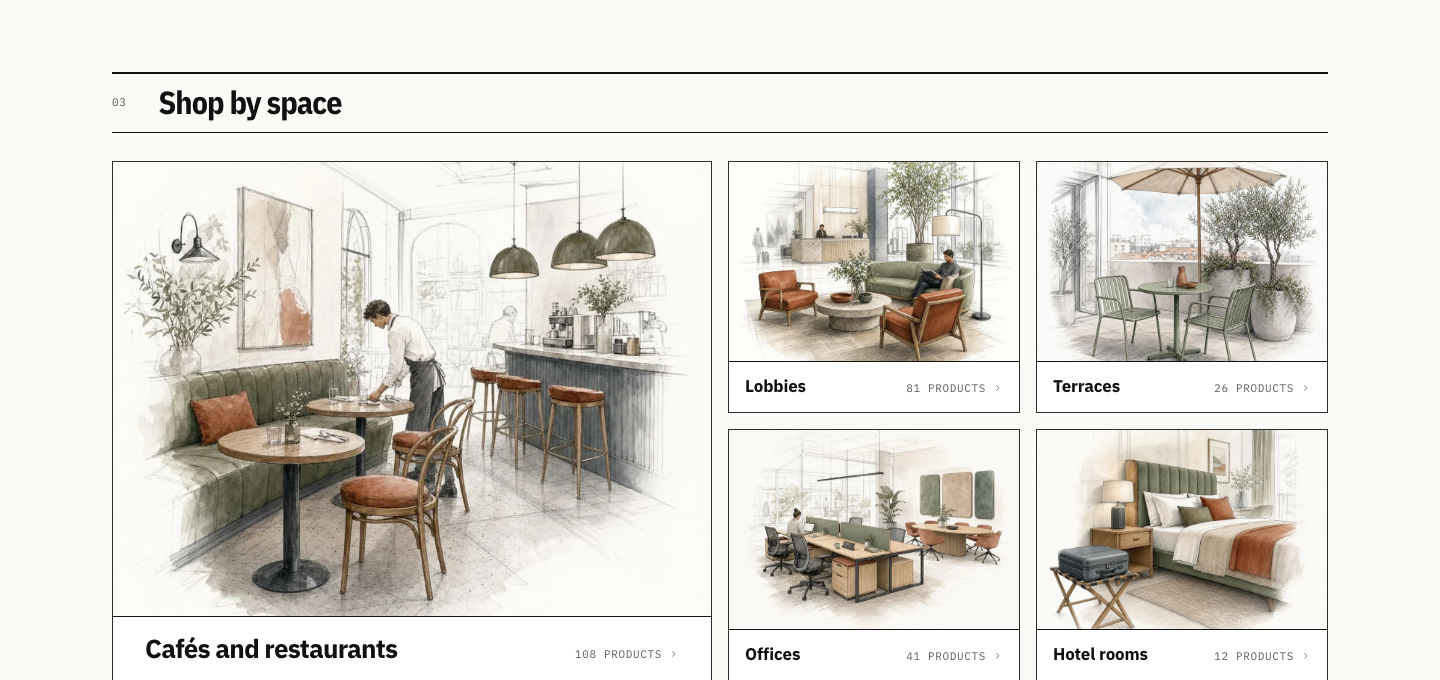
Section settings
| Setting | Type | Options | Default | Notes |
|---|---|---|---|---|
| Heading | Text (bold, italic, links) | Shop by category | ||
| Layout | Choice | Contents (numbered rows), Cards, Round thumbnails, Mosaic, List with image preview, Expanding panels, Stacking cards | Cards | Mosaic shows the first five collections. |
| Mosaic text | Choice | On the image, Under the image | On the image | Mosaic layout only. Under the image keeps drawings and light images clear. |
| Link label | Text | |||
| Link | Link | Defaults to the collection list page. | ||
| Color scheme | Color scheme | Scheme 1 | ||
| Top padding | Slider | 0–160px, steps of 4 | 88px | |
| Bottom padding | Slider | 0–160px, steps of 4 | 0px |
Blocks
Collection block
One collection in the Collection list section, with optional image, heading, description and color scheme.
| Setting | Type | Options | Default | Notes |
|---|---|---|---|---|
| Collection | Collection | |||
| Image | Image | Optional. Defaults to the collection image. | ||
| Heading | Text | Optional. Defaults to the collection title. | ||
| Description | Text (bold, italic, links) | Shown in the expanding panels and stacking cards layouts. | ||
| Color scheme | Color scheme | Scheme 2 | Used by the mosaic, expanding panels and stacking cards layouts. |
Presets
Add it from Add section as: Collection list, Collection contents, Round collection thumbnails, Collection mosaic, Collection list with preview, Expanding panels, Stacking cards.
Last updated on