Quick order
A fast order form for repeat buyers: search by SKU or name, paste a list of SKUs and quantities, and save or reopen order lists.
Where: Any template (Add section)
File: sections/quick-order.liquid
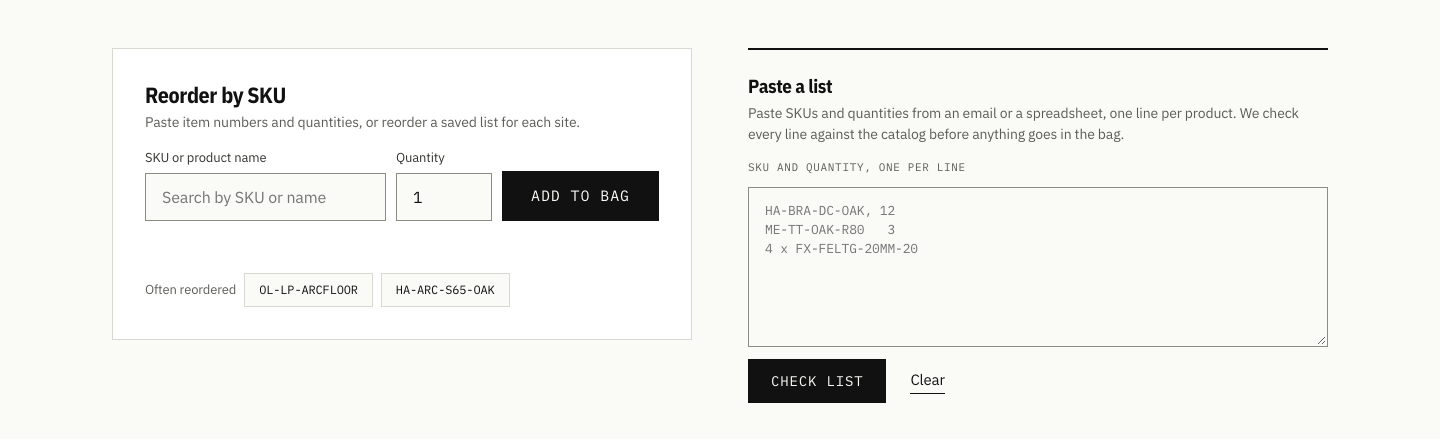
Section settings
| Setting | Type | Options | Default | Notes |
|---|---|---|---|---|
| Heading | Text (bold, italic, links) | Quick order | ||
| Text | Rich text | Enter a SKU or product name and a quantity. |
Search uses product titles, vendors, types and variant SKUs. Prices in the bag follow the customer’s own pricing, including B2B catalogs.
| Setting | Type | Options | Default | Notes |
|---|---|---|---|---|
| Shortcut heading | Text | Frequent SKUs | ||
| Shortcut products | Products | Up to 8 | ||
| Show Paste a list | On / off | On | Buyers paste SKU and quantity lines from an email or spreadsheet, check them against the catalog and add them all at once. | |
| Show saved lists | On / off | On | Named lists kept in the buyer’s browser, shareable as a link, with a link to past orders for reordering. | |
| Layout | Choice | Two columns: form and lists beside the paste pad, Stacked | Two columns: form and lists beside the paste pad | |
| Color scheme | Color scheme | Scheme 1 | ||
| Top padding | Slider | 0–160px, steps of 4 | 48px | |
| Bottom padding | Slider | 0–160px, steps of 4 | 48px |
Presets
Add it from Add section as: Quick order.
Last updated on