Tabs
Content in tabs: beside the content, above it, or feature tabs with a progress line. Good for comparisons such as “Which material?”.
Where: Any template (Add section)
File: sections/tabs.liquid
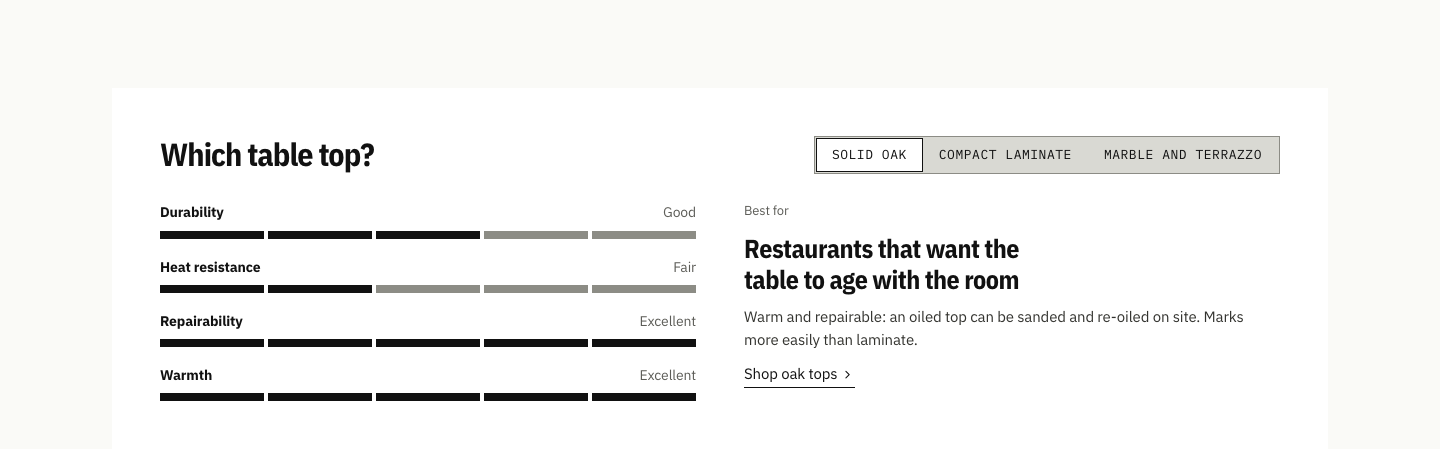
Section settings
| Setting | Type | Options | Default | Notes |
|---|---|---|---|---|
| Heading | Text (bold, italic, links) | Tabs heading | ||
| Layout | Choice | Tabs beside content, Tabs above content, Feature tabs with progress | Tabs beside content | |
| Advance tabs automatically | On / off | On | Only while the section is visible. Pauses on hover, on focus and for visitors who prefer reduced motion. Off in the theme editor. Shown when Layout is Feature tabs with progress. | |
| Time per tab | Slider | 3–12s, steps of 1 | 5s | Shown when Layout is Feature tabs with progress. |
| Color scheme | Color scheme | Scheme 1 | ||
| Top padding | Slider | 0–160px, steps of 4 | 48px | |
| Bottom padding | Slider | 0–160px, steps of 4 | 48px |
Blocks
Tab block
One tab with a label, optional image and its own content blocks.
| Setting | Type | Options | Default | Notes |
|---|---|---|---|---|
| Tab label | Text | Tab | ||
| Tab description | Text | Shown under the label in the progress layout. | ||
| Image | Image | |||
| Crop marks | On / off | On | Four corner marks and a FIG. number around the image. Needs Theme settings › Layout › Figure marks. | |
| Figure label | On / off | On | The text under the bottom-left mark. Shown when Crop marks is on. | |
| Figure text | Text | Leave empty to use the image’s alt text, or FIG. 01 when there is none. Shown when Crop marks is on and Figure label is on. |
Accepts: Collapsible row · Button · Buy buttons · Compare · Complementary products · Custom Liquid · Divider · Email signup · Follow on Shop · Group · Heading · Icon · Image · Menu · Numbered step · Pickup availability · Print datasheet · Below the gallery · Product card · Certifications · Delivery · Description · Dimensions · Documents · Inventory status · Product link · Product details line · Parts and accessories · Price · Rating · Specifications · Swatches · Product title · Vendor · Scale · Restock request · Review topics · Share · Size finder · Social media icons · Spacer · Specification · Table · Text · Variant matrix · Variant order list · Variant picker · Video · Volume pricing · Wholesale terms
Presets
Add it from Add section as: Tabs, Comparison tabs, Feature tabs.