Volume pricing calculator
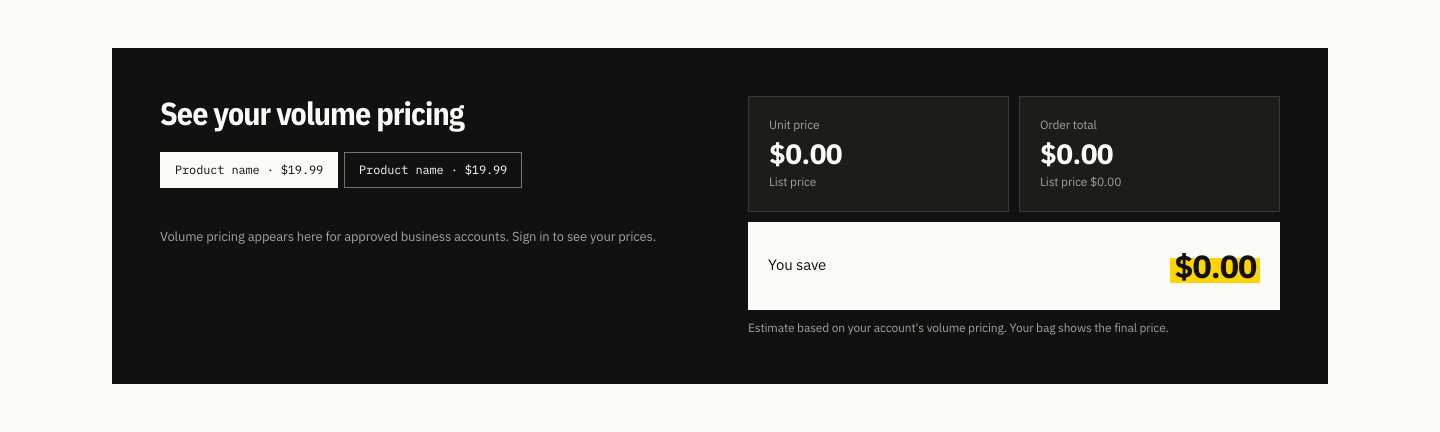
Shows quantity price breaks, such as B2B pricing, with a slider to try quantities and see the unit price and total.
Where: Any template (Add section)
File: sections/volume-calculator.liquid
Section settings
Shows the volume (quantity) price breaks Shopify returns for the signed-in customer, such as B2B catalog pricing. Shoppers without price breaks see list prices and the text below. The calculator never creates discounts.
| Setting | Type | Options | Default | Notes |
|---|---|---|---|---|
| Heading | Text (bold, italic, links) | See your volume pricing | ||
| Maximum quantity | Slider | 10–500, steps of 10 | 120 | |
| Text when no volume pricing applies | Rich text | Volume pricing appears here for approved business accounts. Sign in to see yo… | ||
| Card color scheme | Color scheme | Scheme 3 | ||
| Color scheme | Color scheme | Scheme 1 | ||
| Top padding | Slider | 0–160px, steps of 4 | 48px | |
| Bottom padding | Slider | 0–160px, steps of 4 | 48px |
Blocks
Product block
A product shown in the volume pricing calculator.
| Setting | Type | Options | Default | Notes |
|---|---|---|---|---|
| Product | Product |
Presets
Add it from Add section as: Volume pricing calculator.
Last updated on