Shop the look
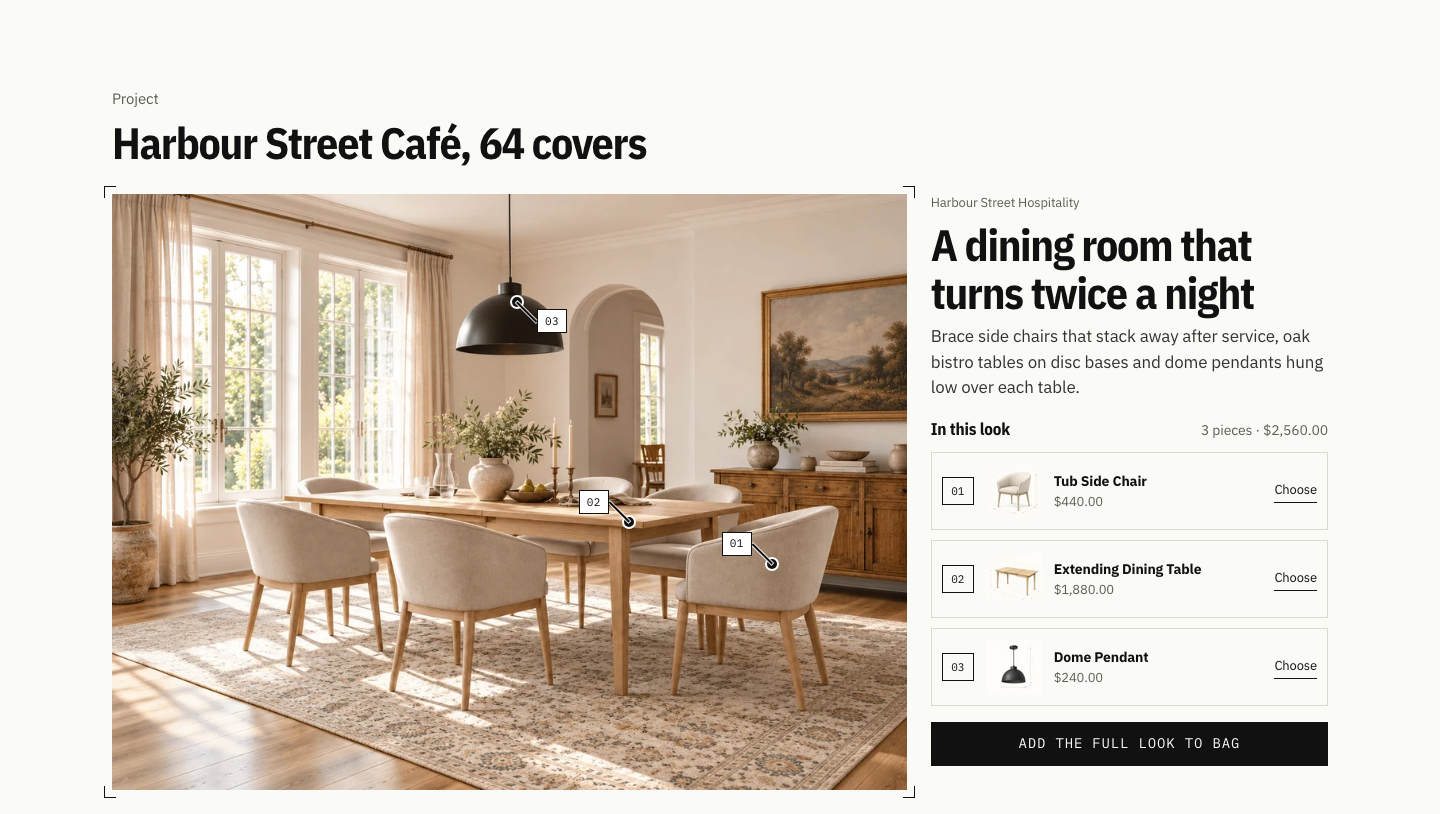
A styled photo with product hotspots and the products listed beside or below it.
Where: Any template (Add section)
File: sections/shop-the-look.liquid
Section settings
| Setting | Type | Options | Default | Notes |
|---|---|---|---|---|
| Layout | Choice | Product list beside image, Story below image | Product list beside image | |
| Eyebrow | Text | |||
| Heading | Text (bold, italic, links) | |||
| Heading size | Choice | Small, Medium, Large page heading | Medium | Large is a page heading. Use it once per page, for example on a lookbook page. |
Add more than one look to show tabs and previous and next buttons.
| Setting | Type | Options | Default | Notes |
|---|---|---|---|---|
| Color scheme | Color scheme | Scheme 1 | ||
| Top padding | Slider | 0–160px, steps of 4 | 48px | |
| Bottom padding | Slider | 0–160px, steps of 4 | 48px |
Blocks
Look block
One look in Shop the look: an image with hotspots, a heading and text.
| Setting | Type | Options | Default | Notes |
|---|---|---|---|---|
| Image | Image | |||
| Tab label | Text | Look | ||
| Eyebrow | Text | |||
| Heading | Text (bold, italic, links) | Heading | ||
| Text | Rich text | |||
| Show add all to bag button | On / off | On |
Add product hotspots and set their position on the image.
| Setting | Type | Options | Default | Notes |
|---|---|---|---|---|
| Crop marks | On / off | On | Four corner marks and a FIG. number around the image. Needs Theme settings › Layout › Figure marks. | |
| Figure label | On / off | On | The text under the bottom-left mark. Shown when Crop marks is on. | |
| Figure text | Text | Leave empty to use the image’s alt text, or FIG. 01 when there is none. Shown when Crop marks is on and Figure label is on. |
Accepts: Hotspot
Presets
Add it from Add section as: Shop the look, Lookbook.
Last updated on