Video with chapters
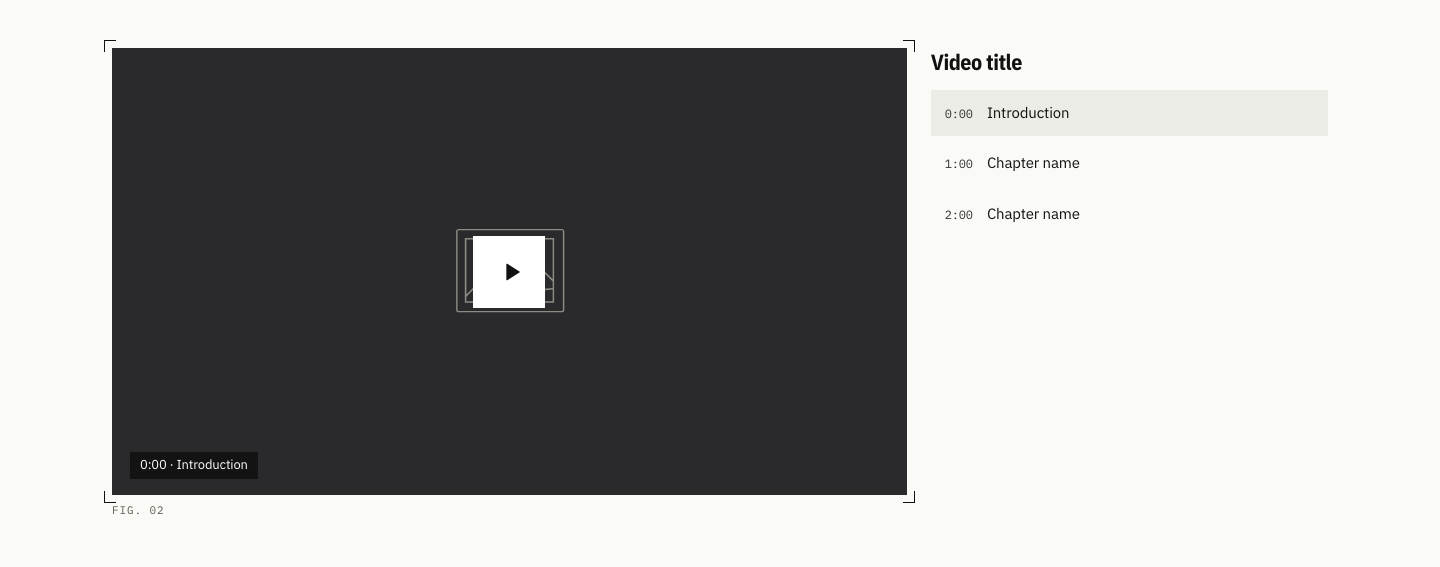
A video with a chapter list; clicking a chapter jumps to that moment.
Where: Any template (Add section)
File: sections/video-chapters.liquid
Section settings
| Setting | Type | Options | Default | Notes |
|---|---|---|---|---|
| Heading | Text (bold, italic, links) | Video title | ||
| Source | Choice | YouTube or Vimeo, Uploaded video | YouTube or Vimeo | |
| URL | Video link (YouTube or Vimeo) | https://www.youtube.com/watch?v=_9VUPq3SxOc | Shown when Source is YouTube or Vimeo. | |
| Cover image | Image | Shown when Source is YouTube or Vimeo. | ||
| Video | Video (uploaded) | Shown when Source is Uploaded video. | ||
| Color scheme | Color scheme | Scheme 1 | ||
| Top padding | Slider | 0–160px, steps of 4 | 48px | |
| Bottom padding | Slider | 0–160px, steps of 4 | 48px | |
| Crop marks | On / off | On | Four corner marks and a FIG. number around the image. Needs Theme settings › Layout › Figure marks. | |
| Figure label | On / off | On | The text under the bottom-left mark. Shown when Crop marks is on. | |
| Figure text | Text | Leave empty to use the image’s alt text, or FIG. 01 when there is none. Shown when Crop marks is on and Figure label is on. |
Blocks
Chapter block
A chapter marker with a start time and a label.
| Setting | Type | Options | Default | Notes |
|---|---|---|---|---|
| Start time | Text | 0:00 | Minutes and seconds, for example 3:40. | |
| Label | Text | Chapter name |
Presets
Add it from Add section as: Video with chapters.
Last updated on