Product bundle
Lets shoppers pick several products and add them to the bag at once, as product cards or a checklist with an image.
Where: Any template (Add section)
File: sections/product-bundle.liquid
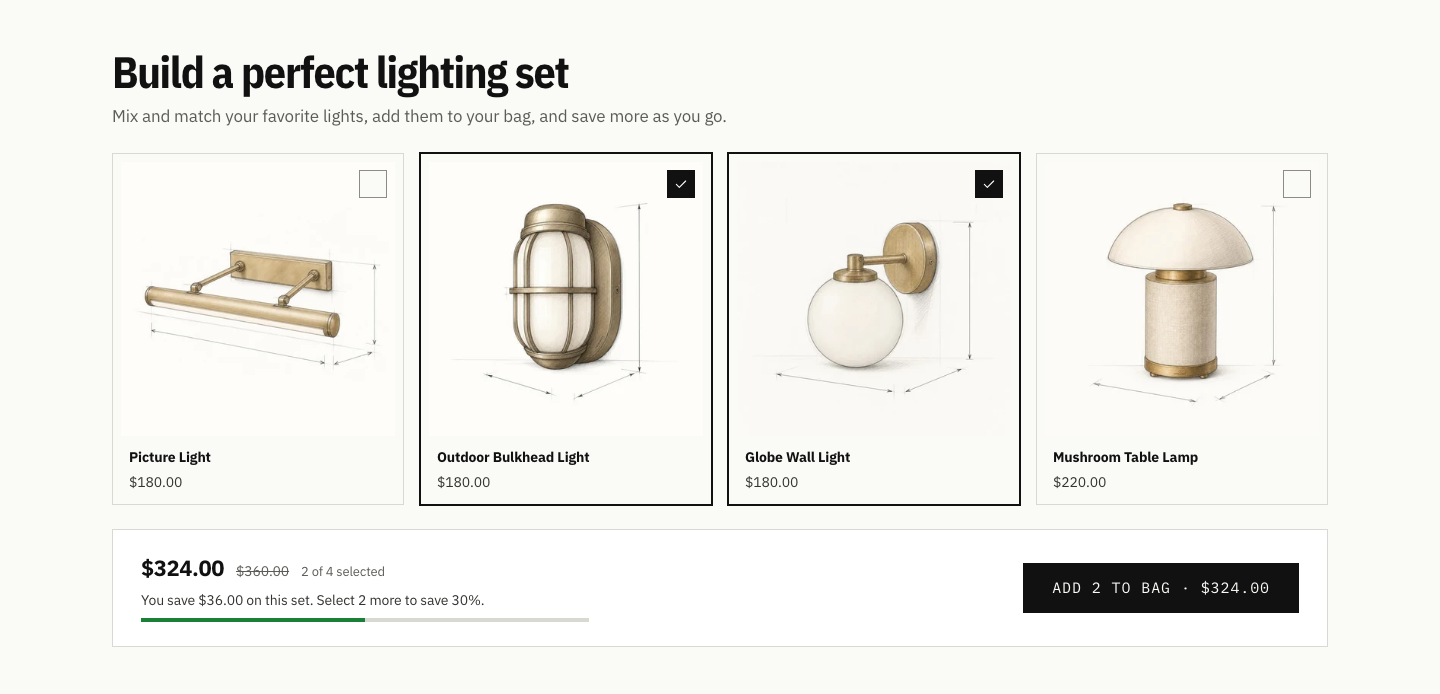
Section settings
| Setting | Type | Options | Default | Notes |
|---|---|---|---|---|
| Layout | Choice | Product cards, Checklist with image | Product cards | |
| Image | Image | Shown when Layout is Checklist with image. | ||
| Eyebrow | Text | Shown when Layout is Checklist with image. | ||
| Heading | Text (bold, italic, links) | Build a set | ||
| Text | Rich text | Select the products you want and add them to your bag together. | ||
| Product list heading | Text | Products | Shown when Layout is Checklist with image. |
Set discount
The discount comes from Discounts in your admin: create an Amount off products discount with a minimum quantity of items, applied to the collection below. Enter the same numbers here so shoppers see the set price before they add. Your bag always shows the final price.
| Setting | Type | Options | Default | Notes |
|---|---|---|---|---|
| Discounted collection | Collection | The collection the discount applies to. Products outside it don’t count towards the discount, and the editor flags them. | ||
| Discount method | Choice | Automatic discount, Discount code | Automatic discount | |
| Discount value | Choice | Percentage, Fixed amount off each item, Fixed amount off the set | Percentage | |
| Minimum products | Slider | 0–10, steps of 1 | 0 | Set to 0 to turn the set discount off. |
| Discount | Number | The percentage, or the amount in your store currency, as set in the discount. | ||
| Discount code | Text | Applied to the bag when a set this size is added. Shown when Discount method is Discount code. | ||
| Minimum products for a bigger discount | Slider | 0–12, steps of 1 | 0 | Optional. Needs a second discount in your admin. |
| Bigger discount | Number | |||
| Discount code for the bigger discount | Text | Shown when Discount method is Discount code. | ||
| Color scheme | Color scheme | Scheme 1 | ||
| Top padding | Slider | 0–160px, steps of 4 | 48px | |
| Bottom padding | Slider | 0–160px, steps of 4 | 48px |
Blocks
Product block
A product in a product bundle, optionally selected by default.
| Setting | Type | Options | Default | Notes |
|---|---|---|---|---|
| Product | Product | |||
| Select by default | On / off | Off |
Presets
Add it from Add section as: Bundle builder, Shoppable recipe.
Last updated on