Product finder
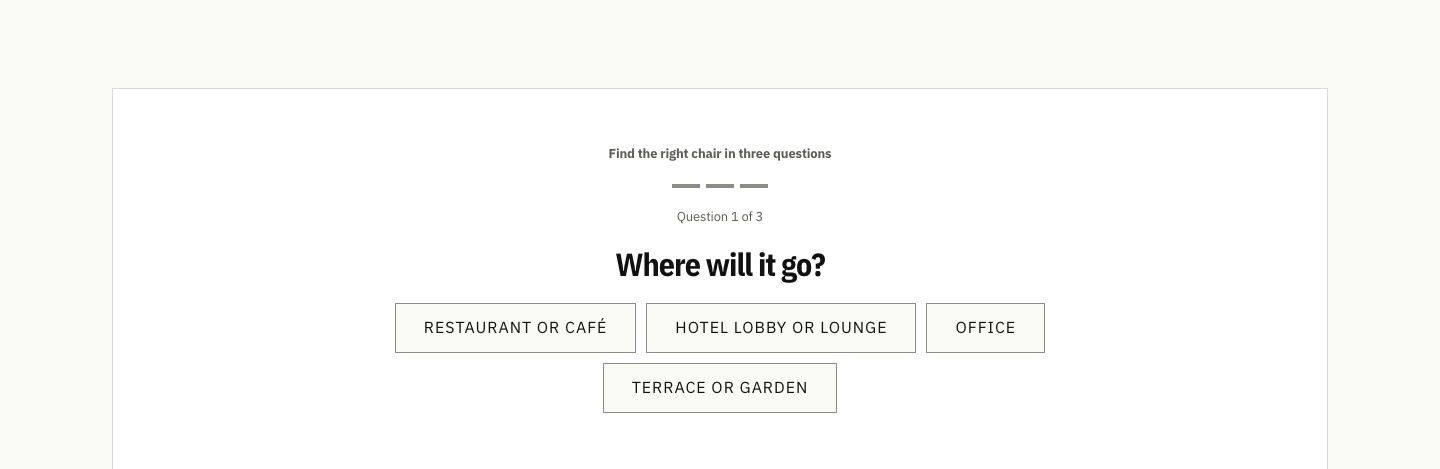
A short quiz that recommends a product based on the shopper’s answers.
Where: Any template (Add section)
File: sections/product-finder.liquid
Section settings
| Setting | Type | Options | Default | Notes |
|---|---|---|---|---|
| Heading | Text (bold, italic, links) | |||
| Result heading | Text | We recommend |
Add questions in the order shoppers answer them, then add results. A result’s rule lists one answer number per question separated by spaces, for example 2 * 1. Use * for any answer and 1|3 for either answer. Results are checked in order and a result with an empty rule matches everything, so put it last as a fallback.
| Setting | Type | Options | Default | Notes |
|---|---|---|---|---|
| Color scheme | Color scheme | Scheme 1 | ||
| Top padding | Slider | 0–160px, steps of 4 | 48px | |
| Bottom padding | Slider | 0–160px, steps of 4 | 48px |
Blocks
Question block
A question in the product finder, with one answer per line.
| Setting | Type | Options | Default | Notes |
|---|---|---|---|---|
| Question | Text | Question | ||
| Answers | Text (several lines) | First answer Second answer | One answer per line. Answer numbers follow this order. |
Result block
A recommended product in the product finder, with the answer rule that leads to it.
| Setting | Type | Options | Default | Notes |
|---|---|---|---|---|
| Product | Product | |||
| Rule | Text | One answer number per question, separated by spaces. Example: 2 * 1. Leave empty to match any answers. | ||
| Why it fits | Text (bold, italic, links) |
Presets
Add it from Add section as: Product finder.
Last updated on